
School office
See the collections behind the total
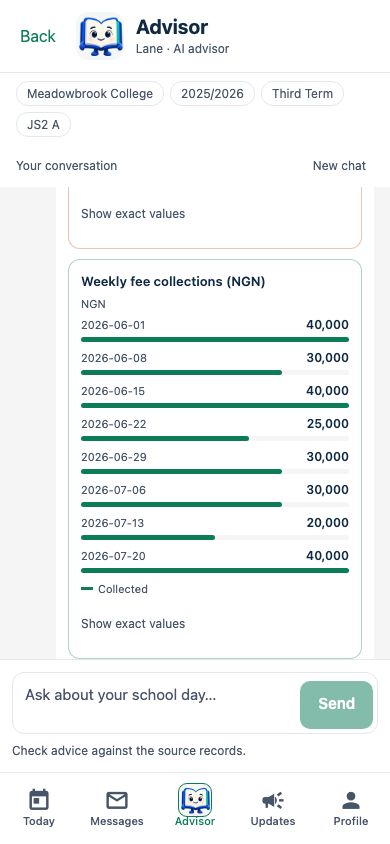
Lane shows the recorded payments by week. Check the dates and exact values before deciding where to follow up.
Try a question like“Show fee collections each week over the last eight weeks.”
The AI-first platform for the whole school day
Registers, fees, lessons, reports, family updates and home practice, all on the same pupil record. Ask Lane about any of it, check the sources, and decide the next step.
Built AI-first, on purpose
Most school software bolted an AI button onto old screens. SchooLane put Lane under the whole platform, so a fee question, a register draft and a lesson plan all start from the same records.
 Lane, the AI advisorReads the same records as every part above. Answers with sources. Drafts that a person confirms.
The whole school day
A register app covers the morning. A fees app covers the office. A messaging app covers the afternoon. SchooLane covers the day, on one pupil record.
07:20, Arrival
Abena walks through the gate. Her class teacher opens SchooLane Staff and the Year 6 register is already waiting, with every pupil and family contact on it.
07:35, Register
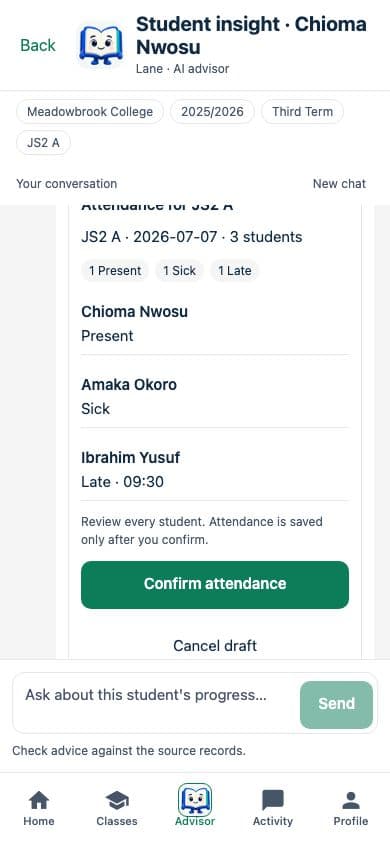
“Everyone is present except Kofi, who is sick.” Lane drafts the register. The teacher checks each name and confirms. Nothing is saved before that.
08:10, First lesson
Fractions, period one. Lane drafted the plan from the curriculum yesterday afternoon, and the teacher adapted it this morning for this class.
10:30, School office
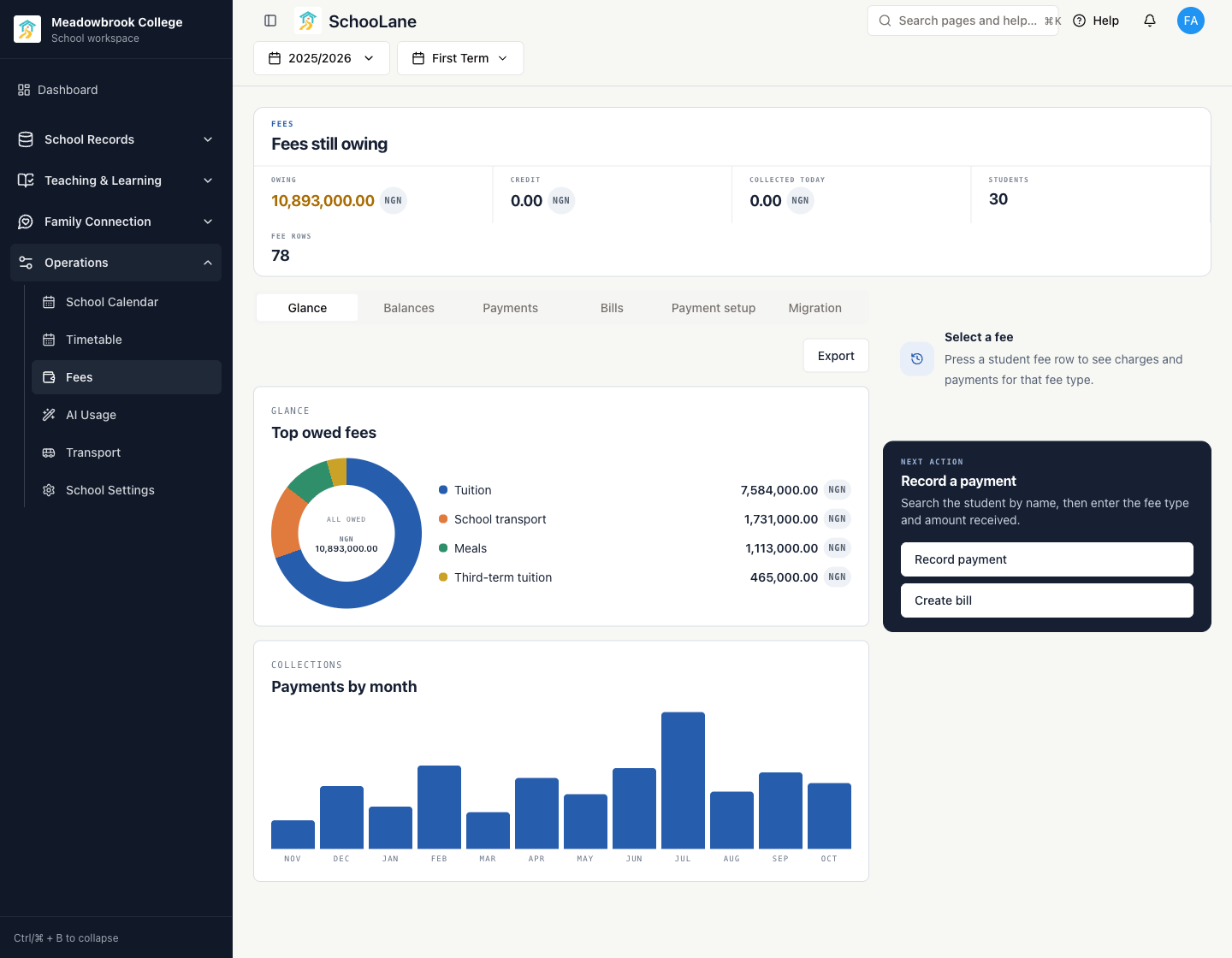
Abena’s mother asks what is still owed. The bursar opens her statement, with the school’s bank transfer or Mobile Money details on it, and sends it.
11:45, Class test
Scores go straight into the gradebook against the same pupil record. A missing score stays missing. It is never a zero.
14:00, Classroom moment
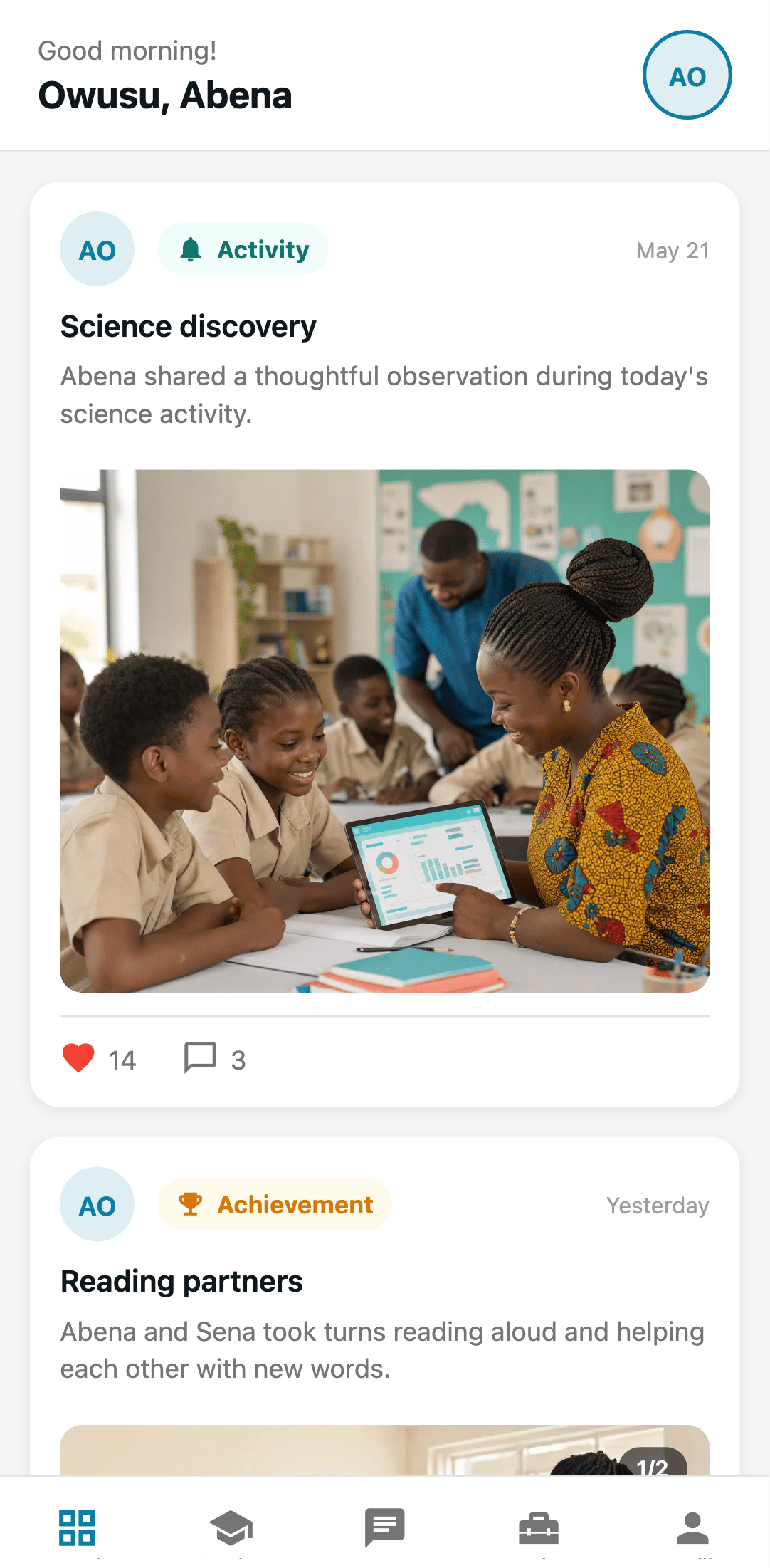
The reaction turns teal. The teacher posts a photo to the families in the class, and only to them.
15:30, Head teacher’s office
“Who has missed two days in a row?” Lane lists the pupils, their classes and the dates to check, with the registers behind the answer.
17:00, Home
Abena’s mother sees the photo on her phone. Abena opens SchooLane Learn for ten minutes of fractions practice, and the evidence comes back to school.
Abena, Kofi and Meadowbrook are sample records from the SchooLane demo school. Screens are real product screens; names, results and amounts are not customer data.
The challenge
Different schools, the same conversations. Each one has the same root cause: the pupil’s record is scattered across books, spreadsheets and chat groups.
Attendance and scores sit in exercise books until someone retypes them at the end of term.
How SchooLane answers thisThe bursar knows who owes. Families never get a statement they can act on.
How SchooLane answers thisScores, attendance and comments are gathered by hand, class by class, every term.
How SchooLane answers thisParents want to know how today went, not only how the term ended.
How SchooLane answers thisA child misses three days in a row before anyone joins the dots.
How SchooLane answers thisTeachers rewrite the same plans every year, usually late at night.
How SchooLane answers thisA register app, a fees spreadsheet and a WhatsApp group, with each pupil’s name typed into all three.
How SchooLane answers thisA second campus, a new section, two hundred more families, and the spreadsheets that worked at one hundred pupils stop working.
How SchooLane answers thisPut the record in one place and the rest gets simpler. That is the whole idea.
Every use case. One record.
Each of these runs on the same pupil, class and staff records, so a change made in one place is already made in the others.
Tell Lane who is absent, sick or late. Review the names, statuses and date, then confirm. Nothing is saved until you do.
Meet Lane, your AI advisor
Stop piecing an answer together from separate screens. Ask in your own words, inspect the school records, and choose your next step.
School office
Lane shows the recorded payments by week. Check the dates and exact values before deciding where to follow up.
Try a question like“Show fee collections each week over the last eight weeks.”
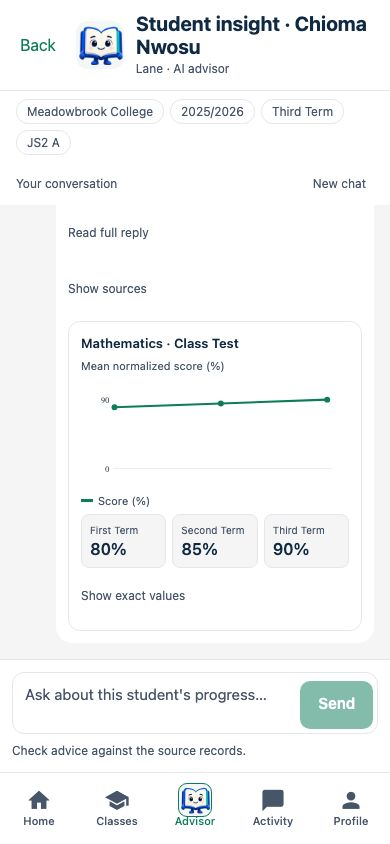
Teacher
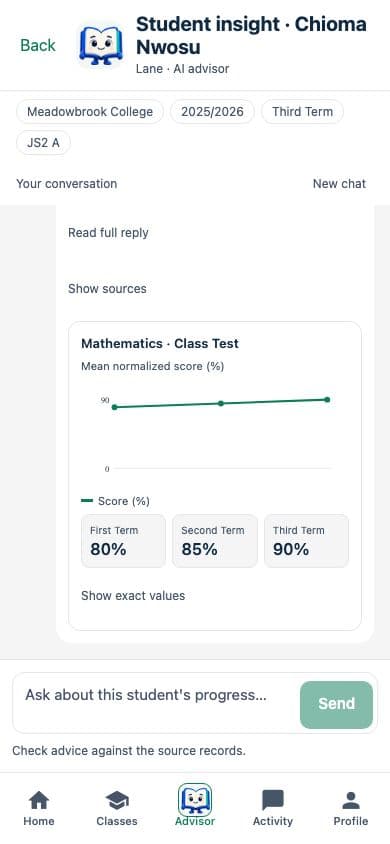
See matching assessment results together, with the records behind the answer. Use the comparison to plan what to teach next.
Try a question like“Compare this pupil’s Mathematics class tests across terms.”
Class teacher
Lane prepares an attendance draft for your class. Check every name, status and date, then confirm when it is right.
Try a question like“Everyone is present except Amaka, who is sick, and Ibrahim, who arrived at 09:30.”

Actual recorded product screens from the fictional Meadowbrook demo school. Names, results and amounts are sample data, not customer outcomes. Advisor access depends on your school’s agreement and role.
Staff and families
Two apps on the same record, made for the phones your staff and families already carry. Assessment scores entered without a signal wait on the phone and sync later.
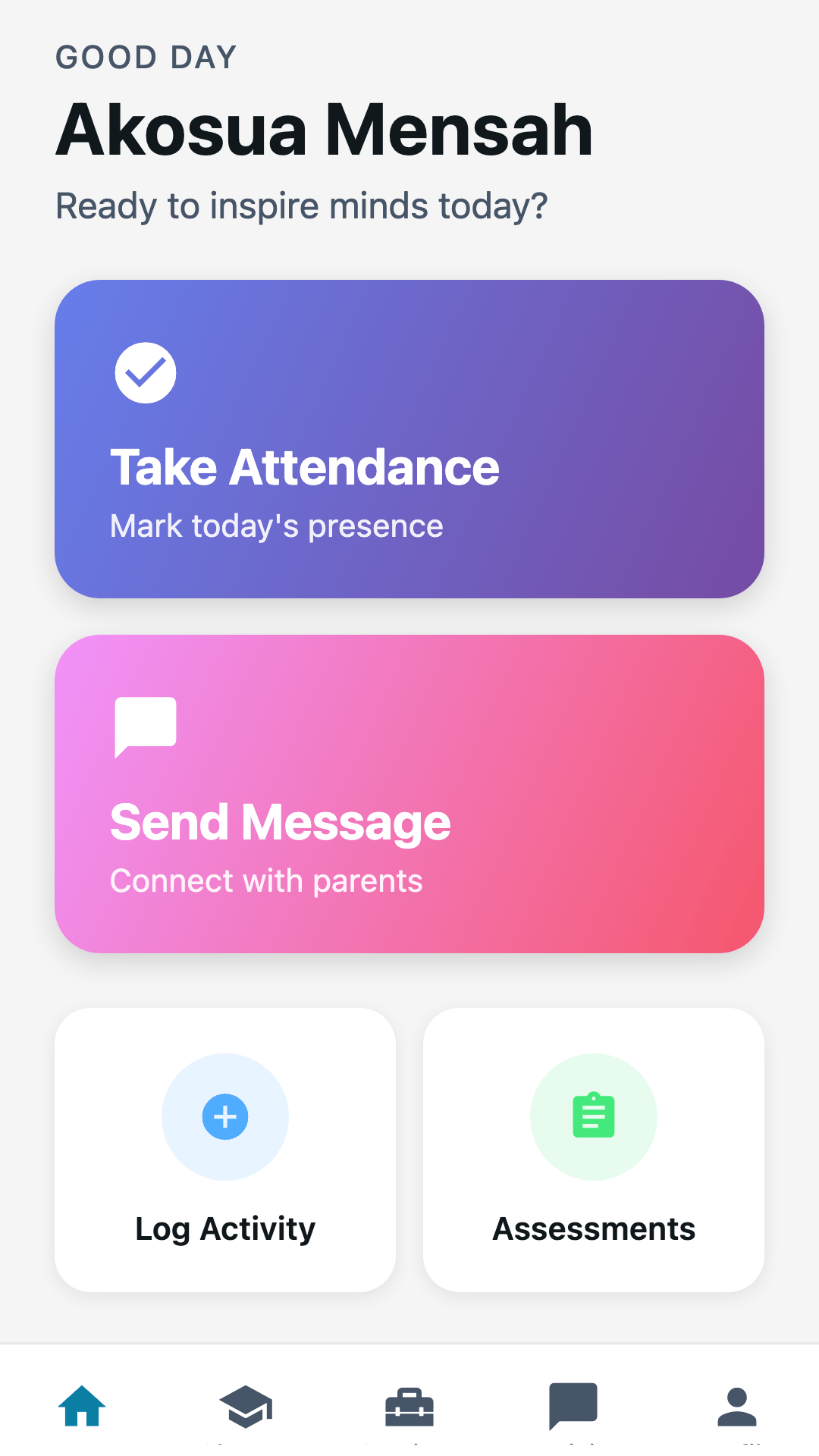
Take attendance, log a classroom moment, score an assessment and ask Lane, from the phone already in a teacher’s pocket.


Published reports, attendance, fee statements and the moments teachers share, for the children the school links to your account.
Built for everyone
The head teacher, the class teacher, the bursar and the family each see the same pupil from their own side of the day.
Moving to SchooLane
No summer lost to migration. We bring your existing records across, train the people who will use them, and stay close for the first term.
Your current tools, your structure and the work you want to make easier. We agree the first priorities together.
We help prepare student, staff, class and family records, set up the academic year, and give the right people access.
Administrators and teachers practise the tasks they will use every day. Families are prepared for their invitation.
Launch the agreed tools with support on the first live days, then add more when the school is ready.
The SchooLane promise
The SchooLane blog
Practical reading for families and the people who run schools.
Let’s walk through the work that takes up your team’s time, together. A walkthrough takes about thirty minutes and starts from your school, not a script.