
Ask the fee question behind the meeting
Ask what is owed by class or how much was collected each week. Lane uses recorded balances and payments, with the dates and exact values you need before following up.
Explore school feesFor head teachers and proprietors
Ask what is owed, which pupils need an attendance follow-up and which registers are unfinished. See the names, dates and source records together, then decide where your team should focus.
The challenge
Attendance is in one book, fees in a spreadsheet, results in another. By the time the picture comes together, the term is over.
How SchooLane helps
SchooLane keeps every pupil, class and payment on one record, and Lane answers your questions from it.
Ask what is owed by class or how much was collected each week. Lane uses recorded balances and payments, with the dates and exact values you need before following up.
Explore school feesAsk who has missed two or three consecutive school days. Check the names, classes and dates, then arrange the right follow-up. Missing marks are not counted as absences.
Explore Lane’s school questionsSee Not started and In progress registers with unmarked counts and the designated class teacher. Register completion shows the work remaining, not who entered an earlier mark.
Explore School RecordsReports stay in draft while staff review them. You decide when the final report reaches families, and the Parents app delivers it.
Explore teaching and reportingGive parents a clear picture of progress and school life through published reports, classroom updates and fee statements they can act on.
Explore Family ConnectionTimetables, school dates, fees and transport run alongside the same student and staff records, so a change is made once.
Explore OperationsLane follows school permissions and needs enabled Advisor access. AI advice can be wrong; inspect the underlying records before acting. Your ordinary school tools remain available.
Platform preview
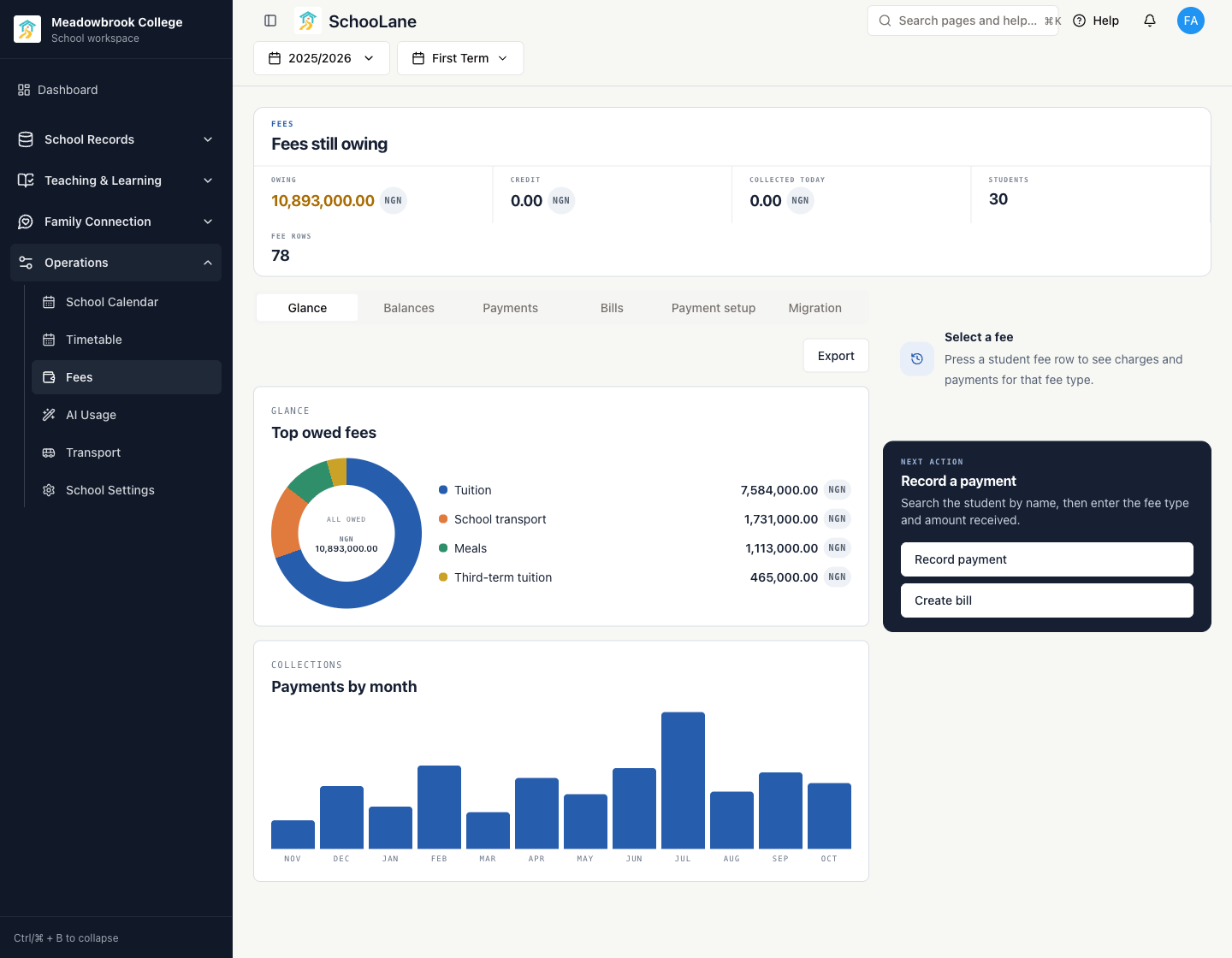
Fees still owing, the fee types behind the total, and payments month by month. The next action is already on the page.
The SchooLane difference
Lane does not give you a score or a dashboard poster. It gives you names, dates and the records behind them, so a follow-up starts the same afternoon.
For example
Ask on Tuesday who has missed two days in a row. Lane lists four pupils, their classes and the dates. A phone call home happens on Tuesday, not when the attendance report is compiled in week twelve.
Everyone around the pupil
The head teacher, the class teacher, the bursar and the family each see the same pupil from their own side of the day.
The full platform behind you
A walkthrough takes about thirty minutes and starts from your school: your size, your current tools, and the work you want to make easier.