
School office
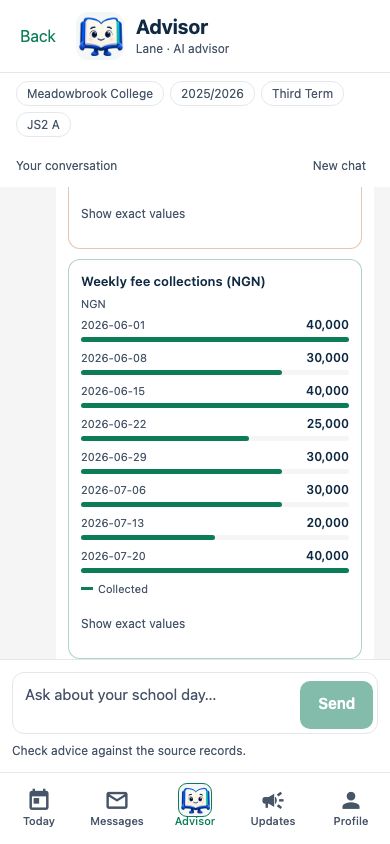
See the collections behind the total
Lane shows the recorded payments by week. Check the dates and exact values before deciding where to follow up.
Try a question like“Show fee collections each week over the last eight weeks.”
AI for your school day
Meet Lane, the AI advisor inside SchooLane. Ask about fees, attendance and pupil progress using the records you already work with. Turn an instruction into a draft you can review, without losing control of what gets saved.
See Lane in a walkthrough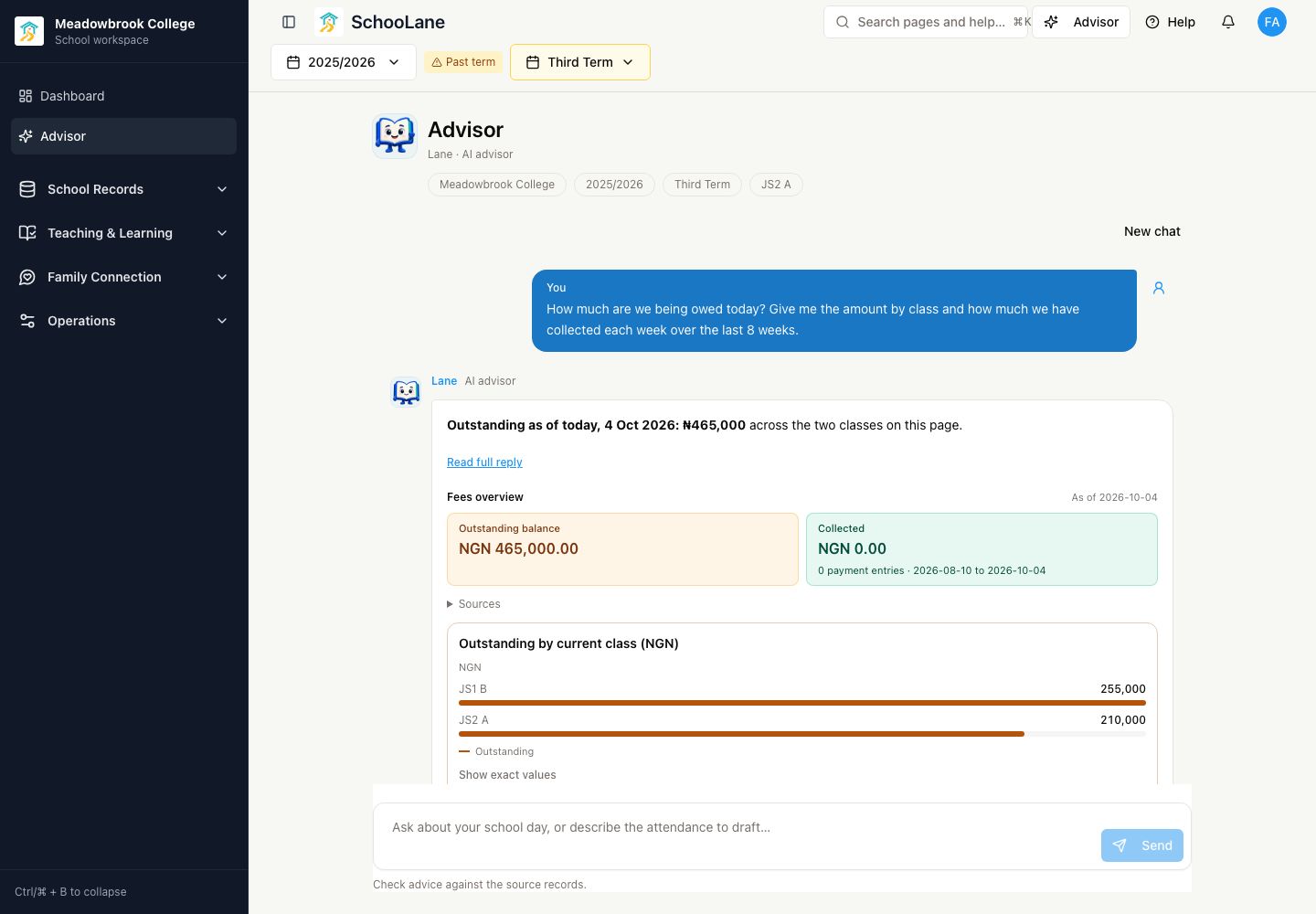
Meet Lane, your AI advisor
Stop piecing an answer together from separate screens. Ask in your own words, inspect the school records, and choose your next step.
School office
Lane shows the recorded payments by week. Check the dates and exact values before deciding where to follow up.
Try a question like“Show fee collections each week over the last eight weeks.”
Teacher
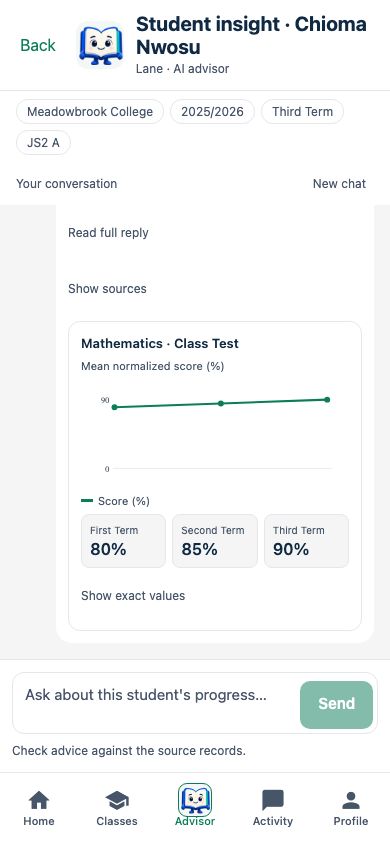
See matching assessment results together, with the records behind the answer. Use the comparison to plan what to teach next.
Try a question like“Compare this pupil’s Mathematics class tests across terms.”
Class teacher
Lane prepares an attendance draft for your class. Check every name, status and date, then confirm when it is right.
Try a question like“Everyone is present except Amaka, who is sick, and Ibrahim, who arrived at 09:30.”

Actual recorded product screens from the fictional Meadowbrook demo school. Names, results and amounts are sample data, not customer outcomes. Advisor access depends on your school’s agreement and role.
Start with a real question
Find the pupil to check on. See which register needs attention. Prepare the lesson you will actually teach. Lane helps you get to the decision; your team makes it.
Teachers work within their assigned school context. School admins can ask school-wide questions. Lane’s access follows your role; asking a question does not grant new permissions.
Open Sources and Show exact values to check the records, periods and numbers. AI advice can be wrong. Check important decisions against the underlying records.
Chat prepares proposals, not unattended submissions. Review and explicitly confirm supported changes. Saving a lesson or timetable draft does not publish it.
Advisor is available on school web and the Staff app when enabled for your school and role, within your school’s usage allowance. Ordinary school tools remain available when you prefer to work manually or Advisor is unavailable.
Read the Advisor guideDraft lesson plans and report comments in your teaching tools. Prepare reviewed content in Learn Studio. Where enabled, learners can get practice feedback on a teach-back explanation. Independent practice does not change official school marks.
We’ll show how Lane works with fees, attendance and progress, and how your team reviews the next step.