
Import opening balances once
Bring last term’s balances across in one import, then bill by fee type and record payments against the pupil, not a spreadsheet row.
Explore school feesFor bursars and administrators
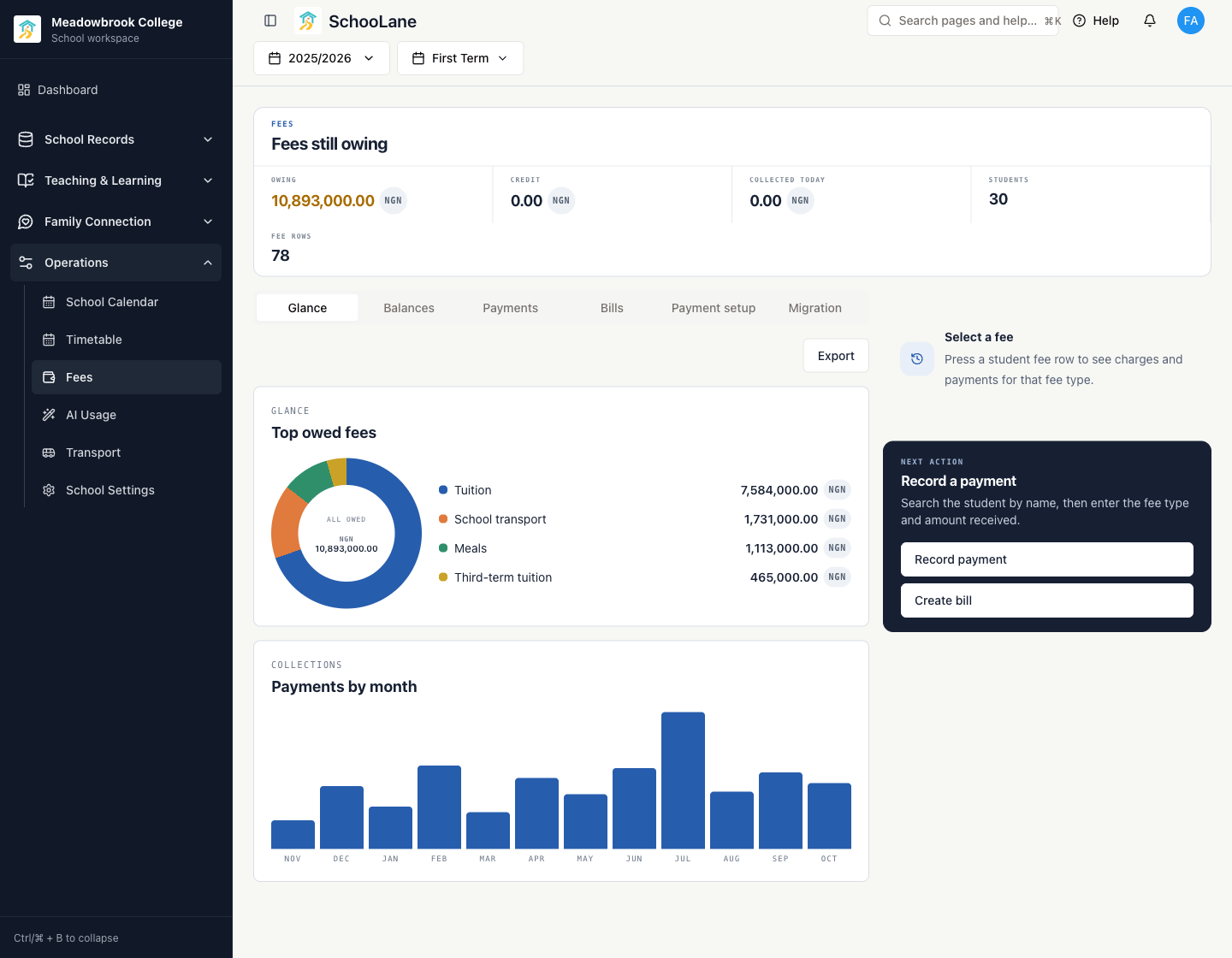
Keep balances, bills and payments on the pupil record the rest of the school already uses. Give every family a statement with the school’s bank transfer or Mobile Money details, and answer the morning’s questions from one screen.
The challenge
The fees spreadsheet is accurate on the bursar’s laptop and nowhere else. Families get a reminder by phone, and the head teacher gets a number a week late.
How SchooLane helps
Fees, student records and registers sit on the same pupil, so the office stops retyping names and starts answering questions.
Bring last term’s balances across in one import, then bill by fee type and record payments against the pupil, not a spreadsheet row.
Explore school feesEvery statement shows what is owed, what was paid and the school’s bank transfer or Mobile Money details. Families see it in the Parents app.
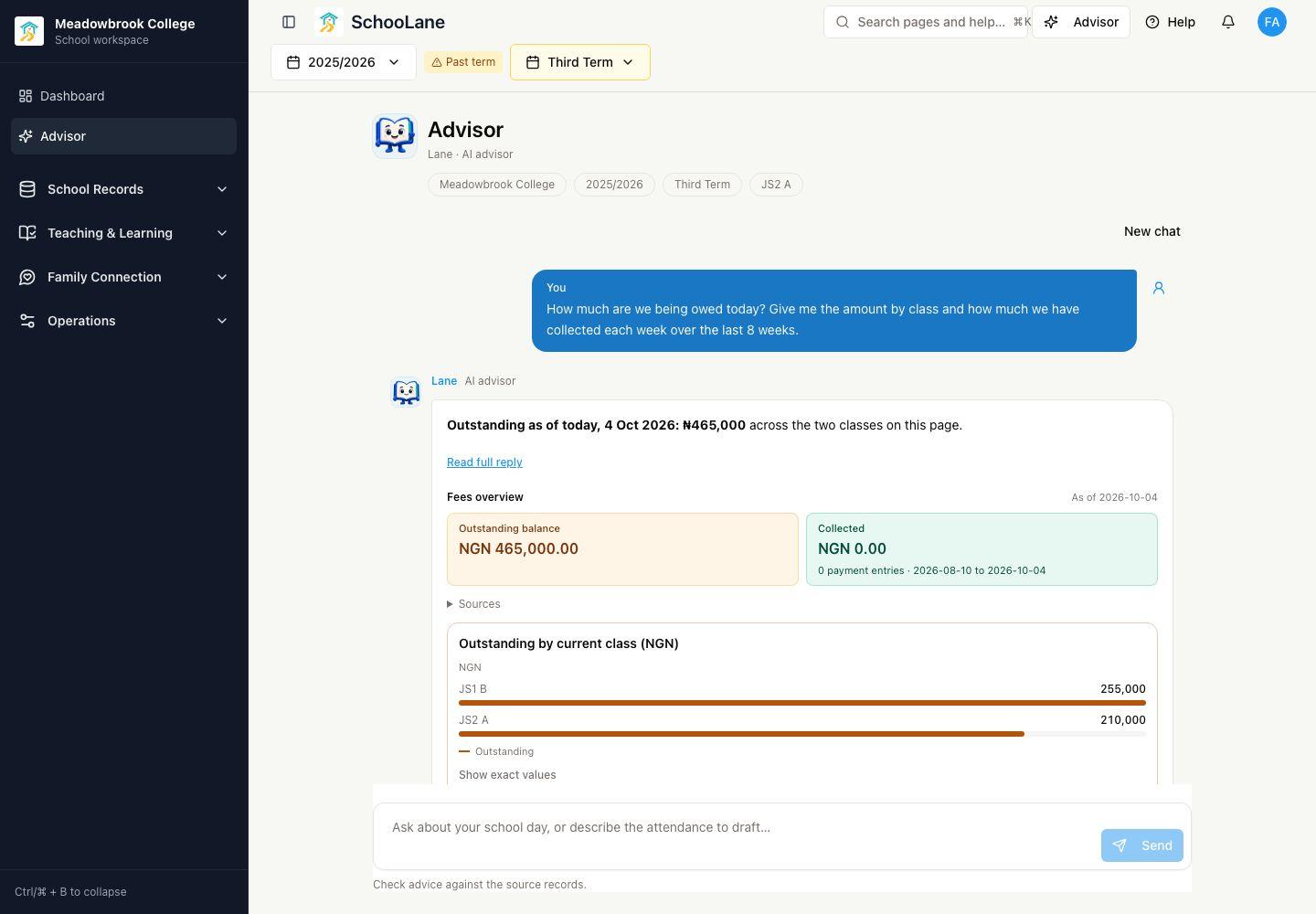
See a family statementSee payments by week and by month, by fee type and by class. Ask Lane for the eight-week picture and check the dates and exact values.
See a collections questionStudent details, enrolment, classes, staff responsibilities and family contacts in the same place, with school-managed family invitations.
Explore School RecordsSee which class registers are not started or in progress, with unmarked counts and the designated teacher, before the attendance report is due.
Explore Lane’s school questionsKeep the school calendar, the timetable and transport routes on the same student and staff records as everything else.
Explore OperationsFees is an optional add-on to the Core and Connected plans. Your proposal sets out the included features and the total cost before you decide.
Platform preview
Ask Lane what is owed and how collections have gone. The answer carries a date, a scope, the outstanding balance by class and the records behind it.
The SchooLane difference
Fees are not a separate product bolted on to the side. They live on the pupil record, so a statement, a report and a register all agree about who the child is and which class she is in.
For example
A parent arrives at 07:50 asking what is still owed for the term. The bursar opens the pupil, sends the statement to the Parents app with the school’s bank transfer details on it, and the payment is recorded against the same pupil before assembly ends.
Everyone around the pupil
The head teacher, the class teacher, the bursar and the family each see the same pupil from their own side of the day.
The full platform behind you
A walkthrough takes about thirty minutes and starts from your school: your size, your current tools, and the work you want to make easier.