
Describe the exceptions, then check the names
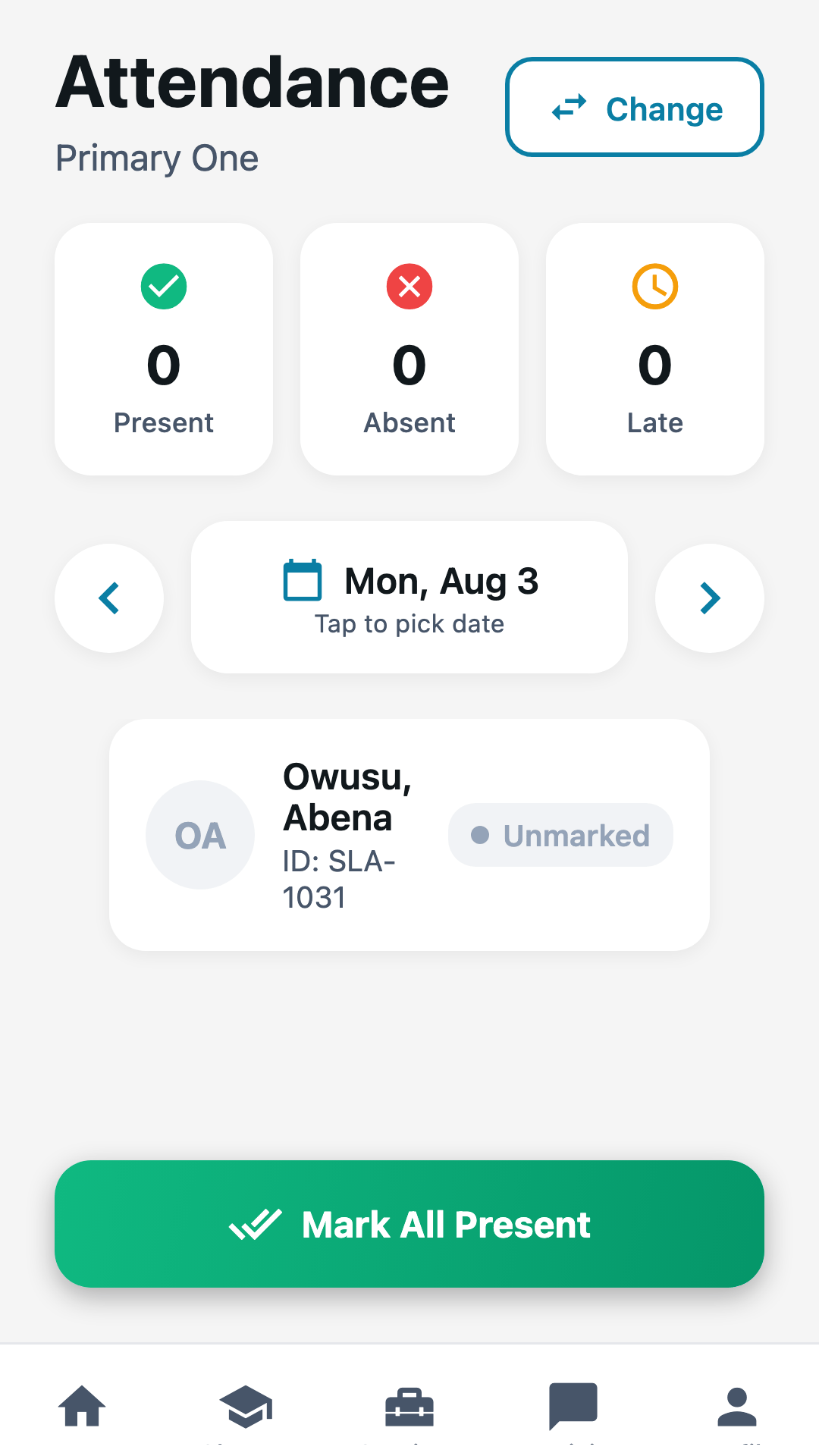
Tell Lane who is absent, sick or late. Review the resolved class, date and every pupil’s status before confirming. The ordinary register is still there when you prefer it.
See an attendance draftFor teachers
Describe attendance in a sentence, compare a pupil’s results across terms and start tomorrow’s lesson from a draft. Review the evidence, then keep teaching, reporting and family updates together.
Already using SchooLane? Take the school day with you.


The challenge
The register, the mark book, the lesson plan and the parents’ group each want the same pupil’s name typed in again.
How SchooLane helps
Everything a class teacher does in a day, on the record the school already keeps.
Tell Lane who is absent, sick or late. Review the resolved class, date and every pupil’s status before confirming. The ordinary register is still there when you prefer it.
See an attendance draftAsk for a lesson-plan draft, then adapt its activities and examples to your class. Confirm the draft once you have reviewed it; approval and publication stay in the lesson editor.
Explore lesson planningOpen Student insight from a pupil’s profile or term report. Compare matching subjects and assessment types, inspect the source records, and choose what to teach next.
See a progress comparisonBring scores and observations together. Review suggested comments and make sure each report reflects the learner you know.
Explore report commentsPost classroom activities and photographs to the right families. Let them see the effort, curiosity and progress behind the school day.
Explore Family ConnectionPrepare an end-of-day reflection with Lane or write it yourself. Check its scope and date before saving. Your daily journal stays private to your account.
Advisor requires your school’s enabled access and usage allowance. Check AI advice against your records; your teaching decisions remain yours.
Platform preview
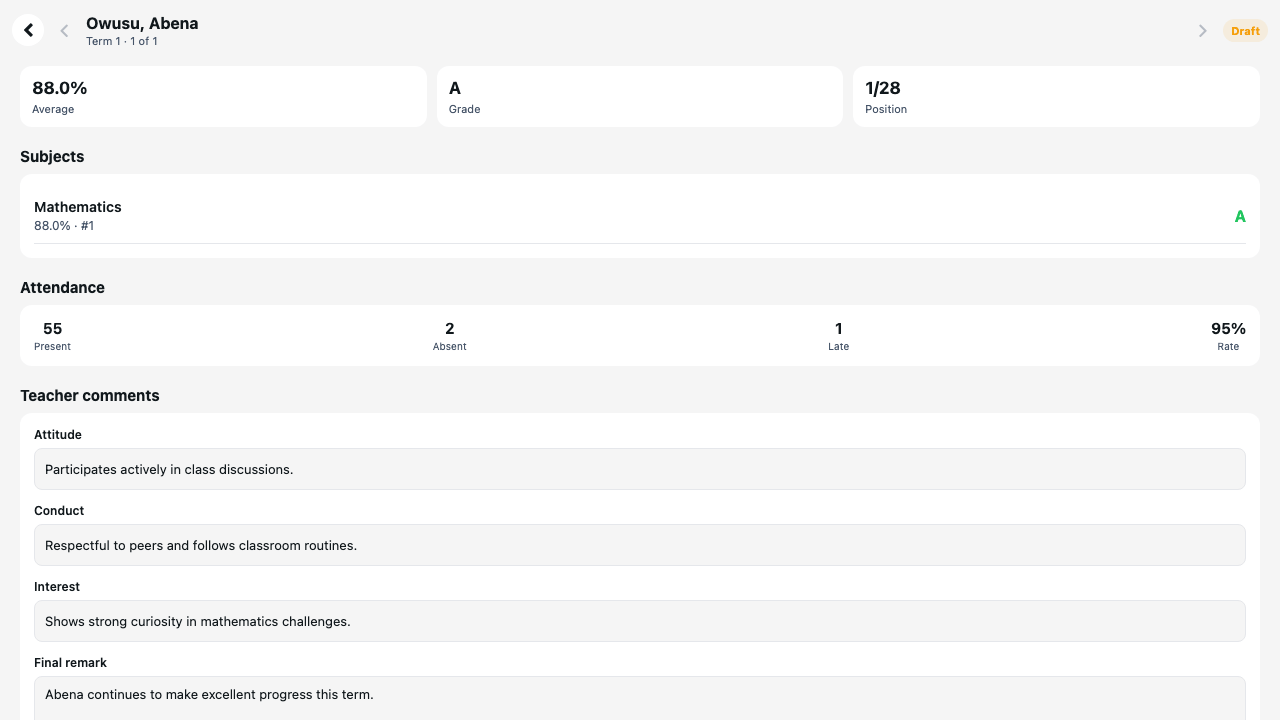
Results, attendance and the comments that help a family understand their child’s progress, on one page the school publishes when it is ready.
The SchooLane difference
Lane prepares the register, the lesson and the comment. Nothing reaches the record until you have read it and confirmed it, and every answer shows the records it came from.
For example
“Everyone is present except Amaka, who is sick, and Ibrahim, who arrived at 09:30.” Lane drafts the register for your class. You check three names, press Confirm attendance, and the morning is done.
SchooLane Staff
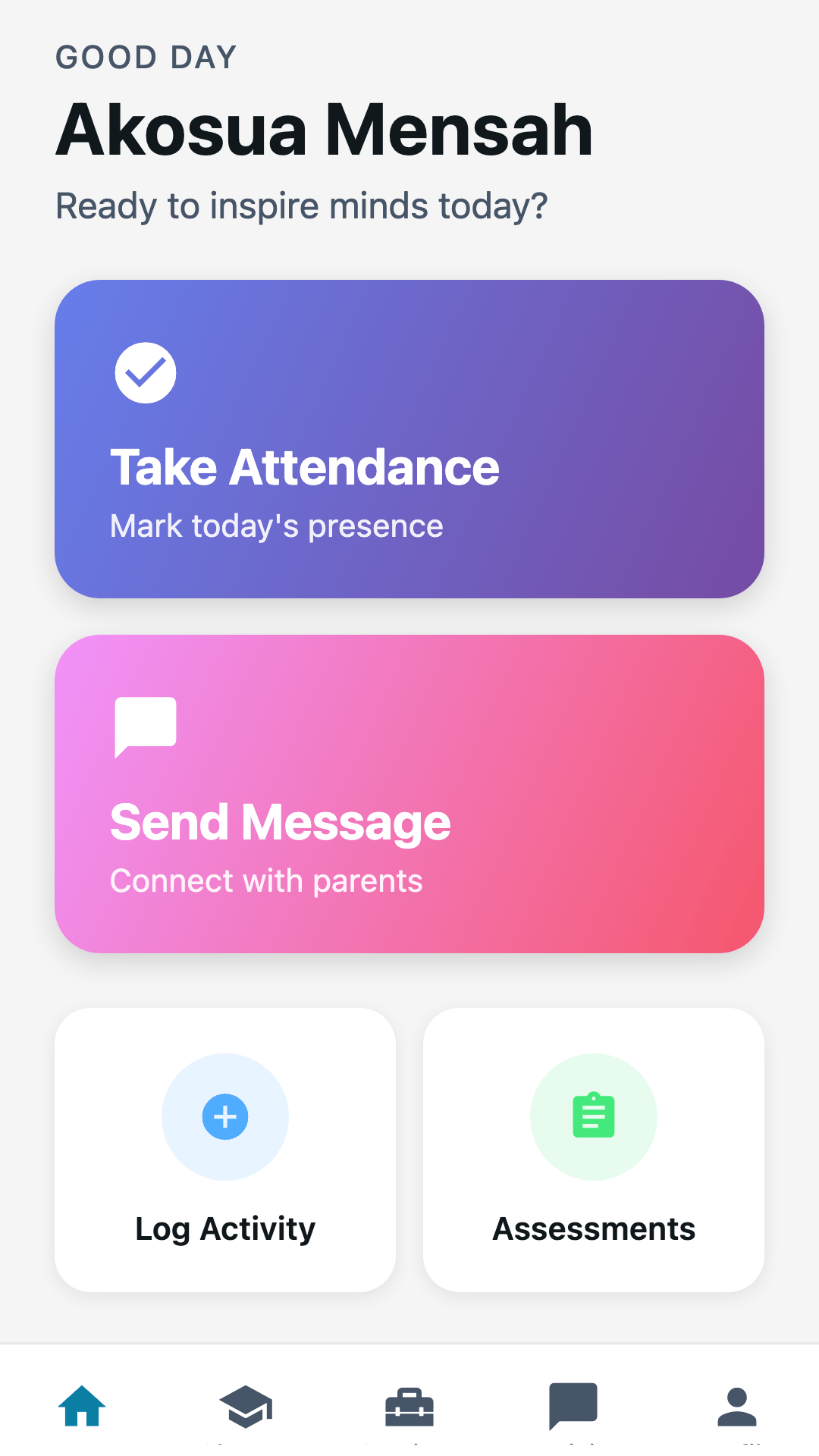
Take attendance, log a classroom moment, score an assessment and ask Lane from the phone you already carry. Scores entered without a signal wait on the phone and sync later.
Everyone around the pupil
The head teacher, the class teacher, the bursar and the family each see the same pupil from their own side of the day.
The full platform behind you
A walkthrough takes about thirty minutes and starts from your school: your size, your current tools, and the work you want to make easier.